Complete Computer Knowledge Portal

Showing posts with label Tricks. Show all posts

Monday, April 29, 2013

Turn On/Off Firewall Protection from Command Line

Here are some simple commands that you can use to check status of firewall or to Turn On or Off Windows Firewall.
Press Windows + R Button to run command


Type netsh and hit Enter.netsh Prompt will open.


How to Enable Netmeeting in Windows XP?

Net meeting is used for the remote sharing of desktop.The main advantage of using this technique is that you can also transfer files, Using Headphones and mic you can also communicate.Another advantage is that there is no need to install any third party software and the control remains to both the users simultaneously.here are some simple steps to activate net meeting in Windows XP based PC:

and enter conf Command as shown below an hit enter

Thursday, April 11, 2013

Swicth to Yahoo Mail Classic

Here are some simple steps that you can use to switch from new yahoo mail to yahoo mail classic

STEP1-->Open Mozilla Firefox

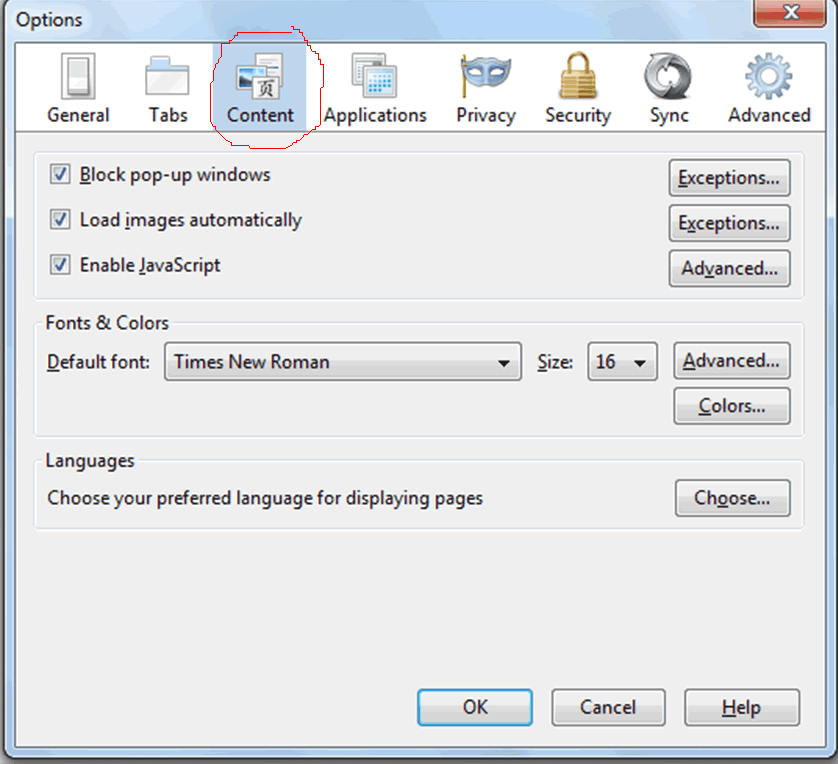
STEP2-->Click on Tools and select Options


Monday, April 8, 2013

How to use ntbackup Utility in Windows to Generate Backup


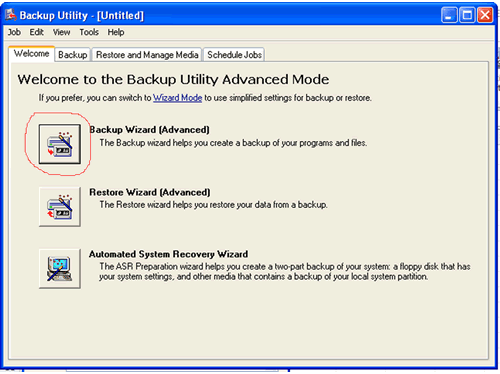
Here are the steps that are used in Windows XP to generate backup using ntbackup utility

STEP1–>
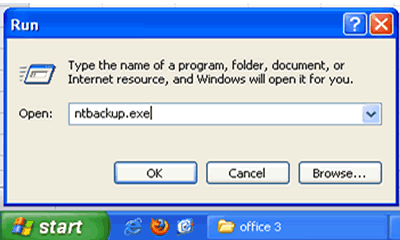
go to Start–>Run–> and type ntbackup.exe


Sunday, April 7, 2013

How to use ntbackup Utility in Windows to Generate Backup


Here are the steps that are used in Windows XP to generate backup using ntbackup utility

STEP1–>
go to Start–>Run–> and type ntbackup.exe


Tuesday, April 2, 2013

Notepad as Personal Diary

Notepad can be used to create a simple personal diary by using following simple steps

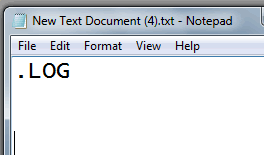
STEP1–>click Start –>Run–> and type Notepad.Note pad screen will appear.


Sunday, March 31, 2013

How to Change MAC Address

Media Access Control Address(MAC address)
STEP1–>Click start


STEP2–>Control panel